The right information
Every role finds the data its work and its level of responsibility require.

HOPR structures roles, scopes, approvals and history so every team works with the right information and the access rights they need.
Access follows the way the property and its sites are actually organized.
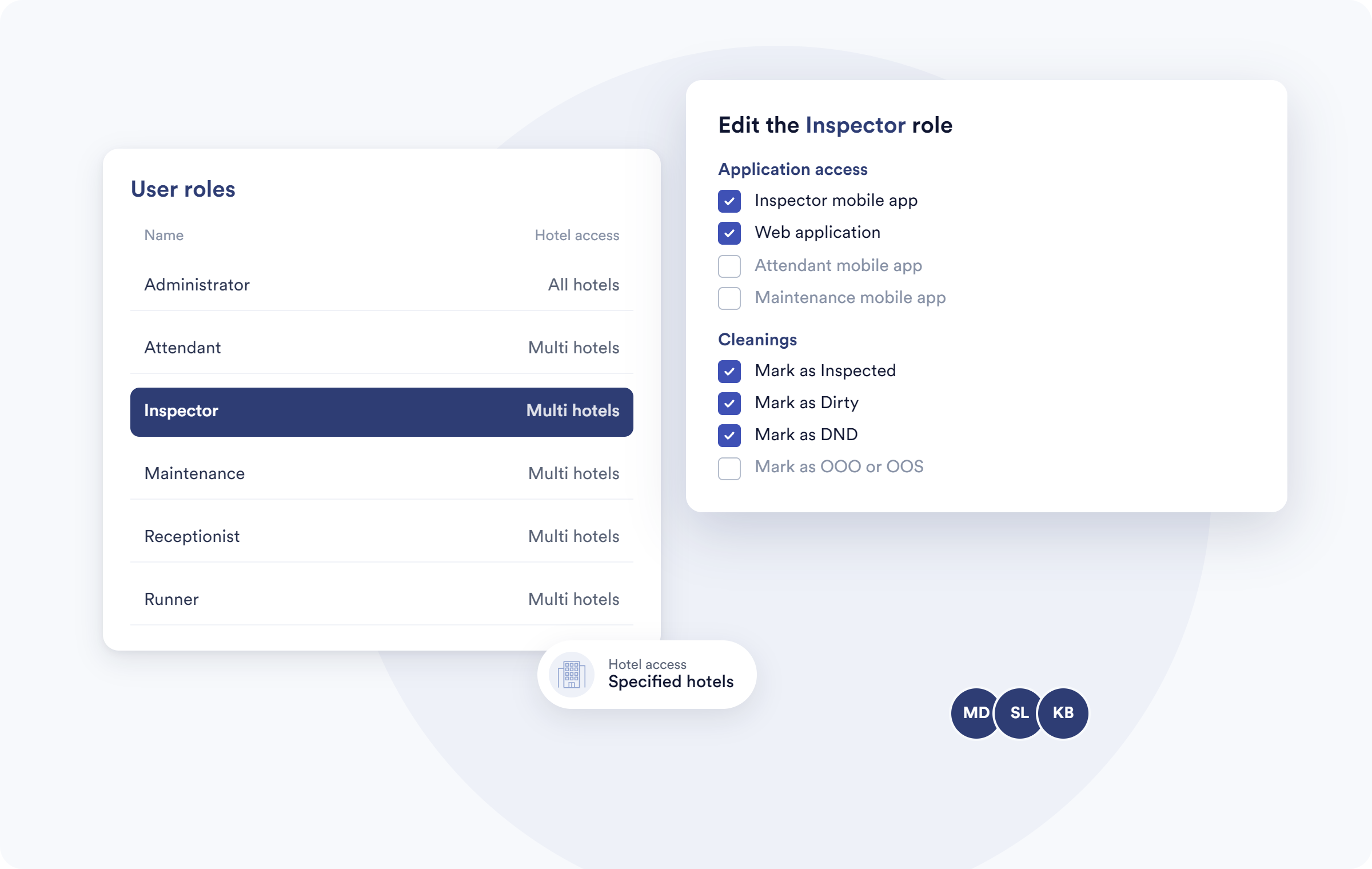
HOPR structures roles, scopes and approvals so everyone reaches the information and the actions they need — without opening up more than intended.
.png)
Every role finds the data its work and its level of responsibility require.
Rights to edit, approve or publish follow the organization's own rules.
Changes and decisions can stay available to authorized oversight.
Governance follows how the property really works, from the local team to multi-site management.
Rights can be organized by function, team, property, zone or operational scope.
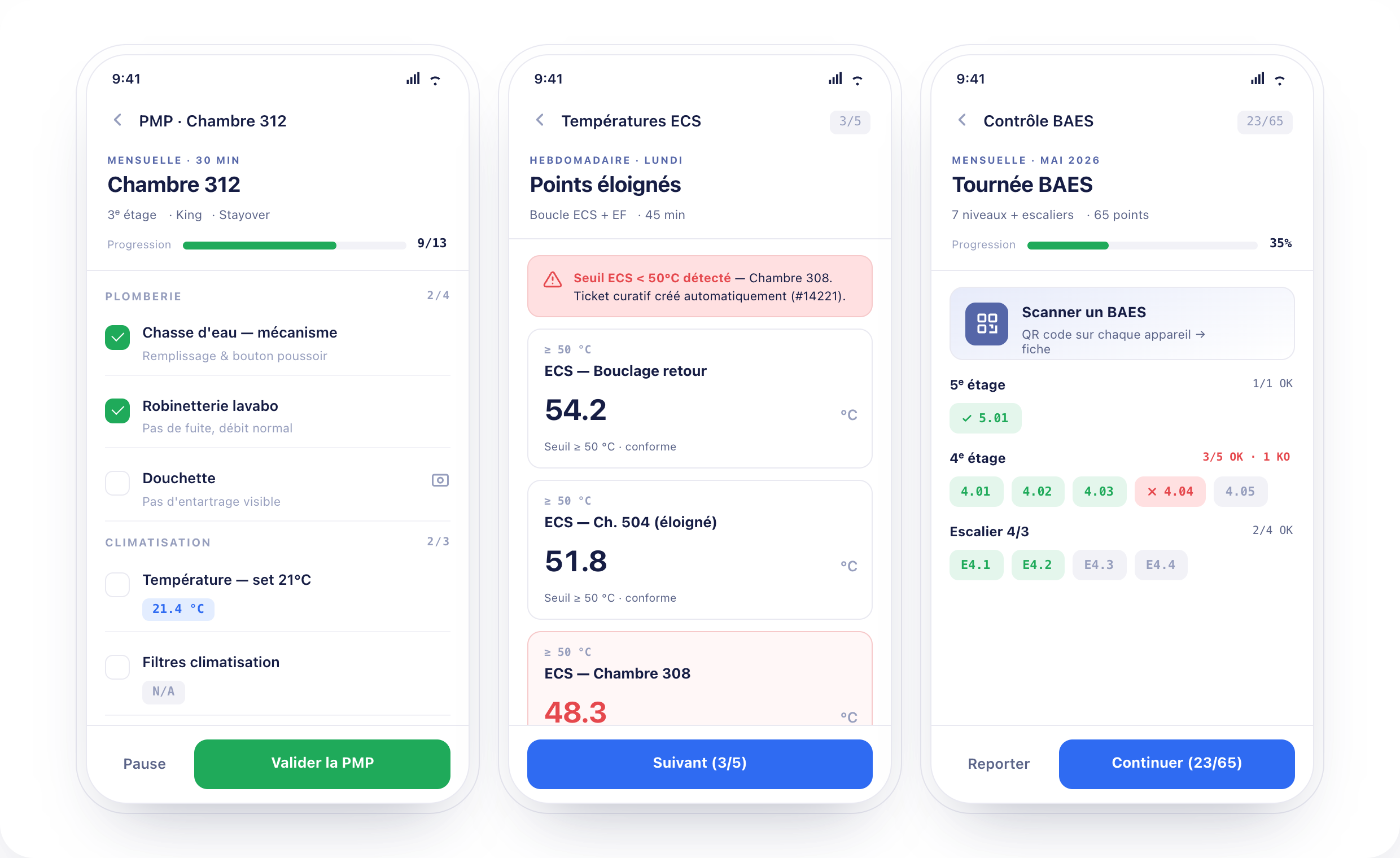
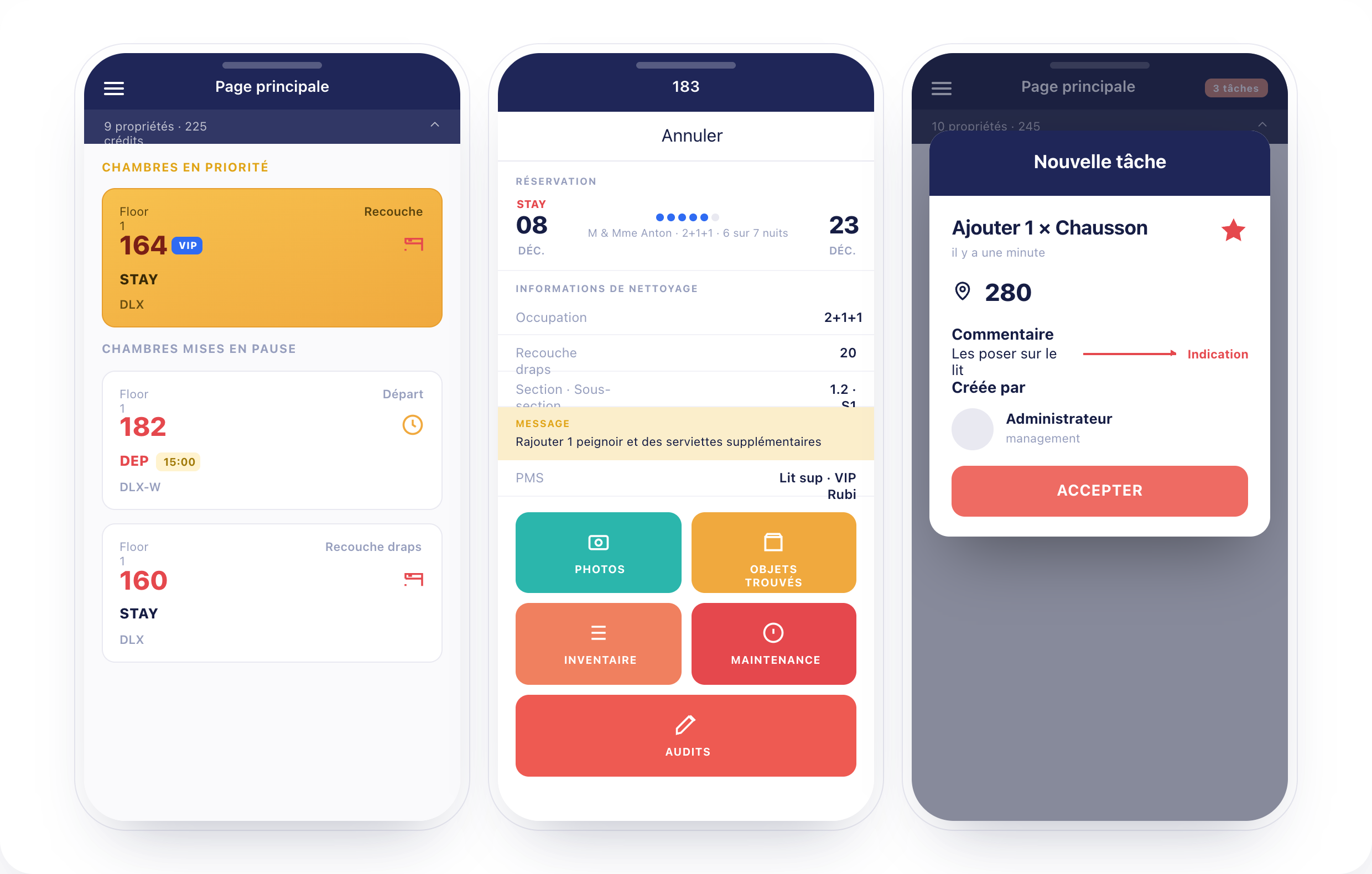
Sensitive content, instructions or changes can follow an approval route that matches the level of governance expected.
Authorized managers can look back at the relevant changes, understand an edit and oversee the rules being applied.
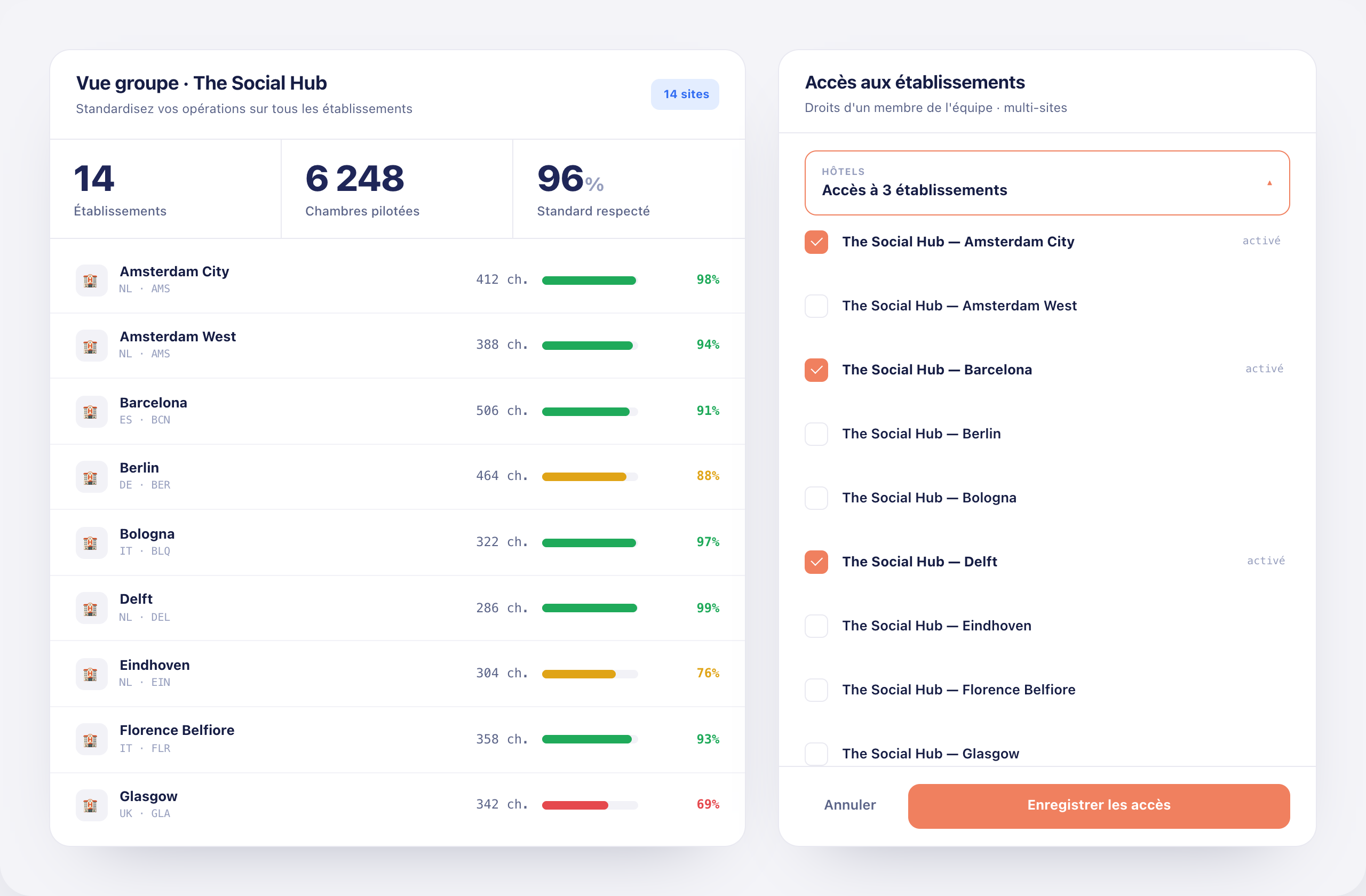
Access rules travel with the workflow instead of living in separate files and instructions.
The scope, the rights and the level of approval expected are set out.
Each user gets an access level that matches their responsibilities.
Site, team, zone or module determine what is visible.
Reading, editing, approving or publishing follow the rights you configured.
A control step is requested whenever governance requires it.
Authorized managers find the context of the changes that matter.
Clearer access, better-framed approvals and a history authorized managers can actually use.
Rights, approvals and scopes follow the operational work. Teams move forward inside their frame, while management keeps oversight suited to its level of responsibility.
See HOPR governance in a demoShared rules can coexist with local responsibilities and the scopes specific to each property.
Responsibilities and scopes come together in a view authorized administrators can actually read.
Approval steps and clear versions cut down contradictory instructions between teams.
Context around edits helps authorized managers oversee the organization without piling on manual checks.
An organization can set shared principles while keeping local responsibilities. HOPR helps separate what belongs to the group, the site, the team or a specific role.
Roles and scopes should mirror how each property is really organized and who is really responsible for what.
Talk to an expertYes. The access model can be structured around the responsibilities, teams, sites and scopes you actually use.
Yes. Scopes can separate the sites, teams or zones concerned, depending on how you configure them.
Yes. An approval level can frame the operations or publications that need a check first.
Shared rules can be combined with local scopes, separating group governance from property-level responsibility.
Authorized managers can review the relevant history, at the level of traceability you configure.
Yes. The information and actions available on the floor follow the rights attached to the account and its scope.
Their role and scope can be adjusted so their access matches their new responsibilities.
See how HOPR structures roles, approvals and scopes around the way your operations work.