Concentrated move-in and move-out periods
Inspections, repairs and room preparation need to meet the same arrival date, sometimes across several buildings.

Student accommodation combines concentrated waves of departures and arrivals with long stays and heavily used shared spaces. HOPR brings room preparation together with the daily upkeep of kitchens, laundry rooms, bathrooms and shared equipment.
Inspections, repairs and room preparation need to meet the same arrival date, sometimes across several buildings.
Cleaning and checks on shared equipment continue throughout the busiest periods.
The condition of rooms, furniture, beds and lockers needs to remain documented from move-in to move-out.
Group inspections, room preparation, assignments and sign-offs to organise a wave of turnovers.
Schedule visits, define the required evidence and escalate missed checks.
Plan upkeep for laundry facilities, ventilation, safety equipment and other shared assets.
Track beds, mattresses, lockers, furniture and consumables at the level needed to understand replacements and budgets.
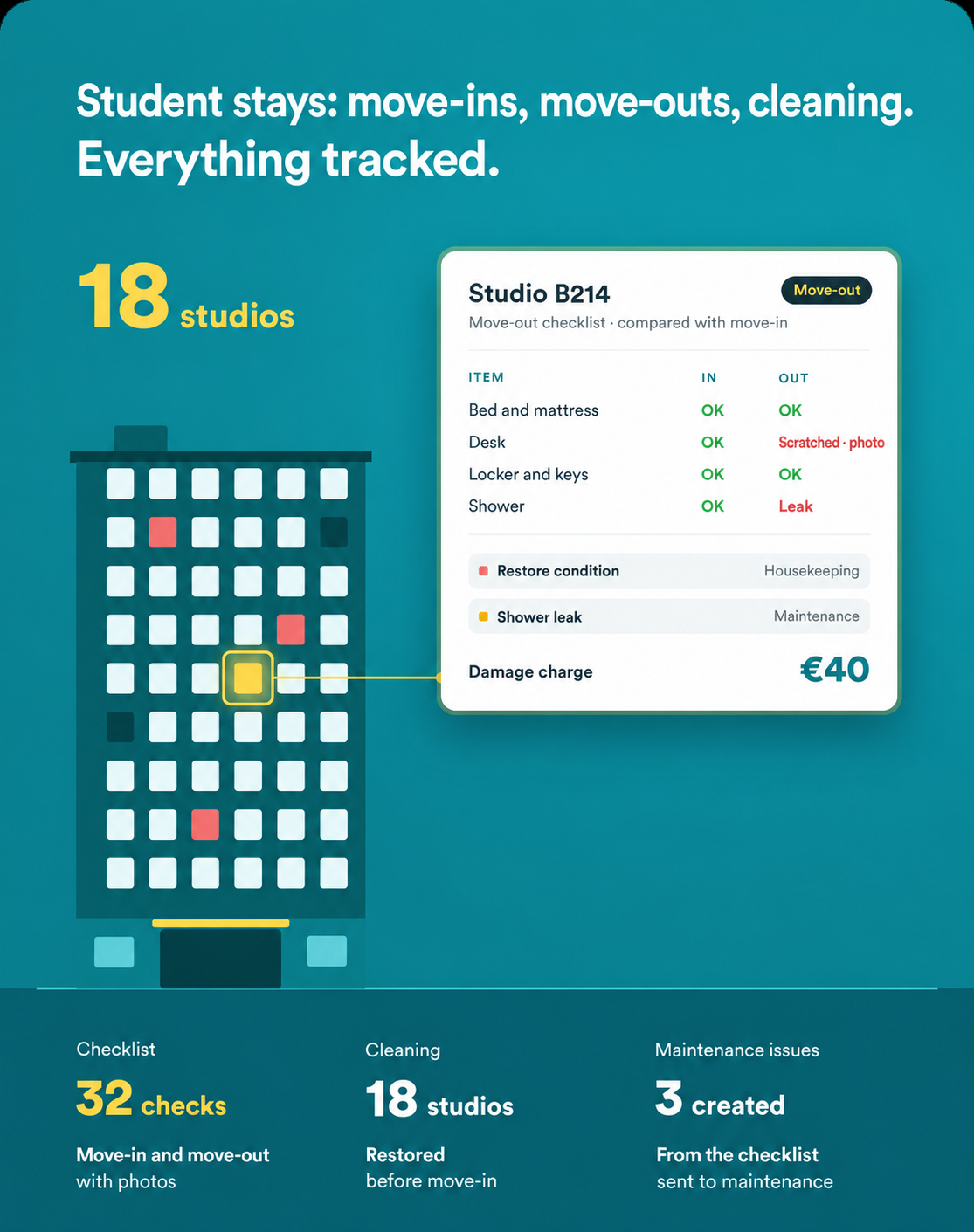
Compare conditions, document damage and prepare cost decisions using a traceable history.
Organise units as a group to prepare, with a visible deadline and checks for each room.
Organise the relevant units by building, floor and arrival date.
Assign move-out inspections and required work with an owner and deadline.
Faults lead to maintenance work before final room preparation.
Kitchens, bathrooms and other communal areas keep their own hygiene and operational checks.
At move-in, record the room and its assets so their condition can be compared at the end of the stay.
Manage a wave of move-ins and move-outs with tasks, owners and deadlines.
Identify the rooms that still need work before residents arrive.
Keep a record of planned and completed maintenance on communal assets.
Review replacements and spending by bed or item of equipment.
Use consistent references for move-in and move-out inspections.
Setup defines your property hierarchy, room- or bed-level asset catalogue, batch task templates and shared-space checks. A pilot building helps adjust the level of detail before a wider rollout. Data exchanges with your existing systems are defined according to the available integrations.
Bulk actions help group, assign and check tasks for the same wave of moves, with filters by area and deadline.
Shared spaces have recurring checklists, deadlines and evidence requirements, with missed checks tracked separately from room preparation.
Your property can be structured around rooms, beds, lockers and the equipment you need to track. This level of detail is defined during setup so it remains useful for the teams.
The departure form uses the condition record and photos saved at arrival to document changes and any damage.
Contractor involvement is scoped according to the capabilities of the selected configuration. Access boundaries and reporting requirements are defined during setup.