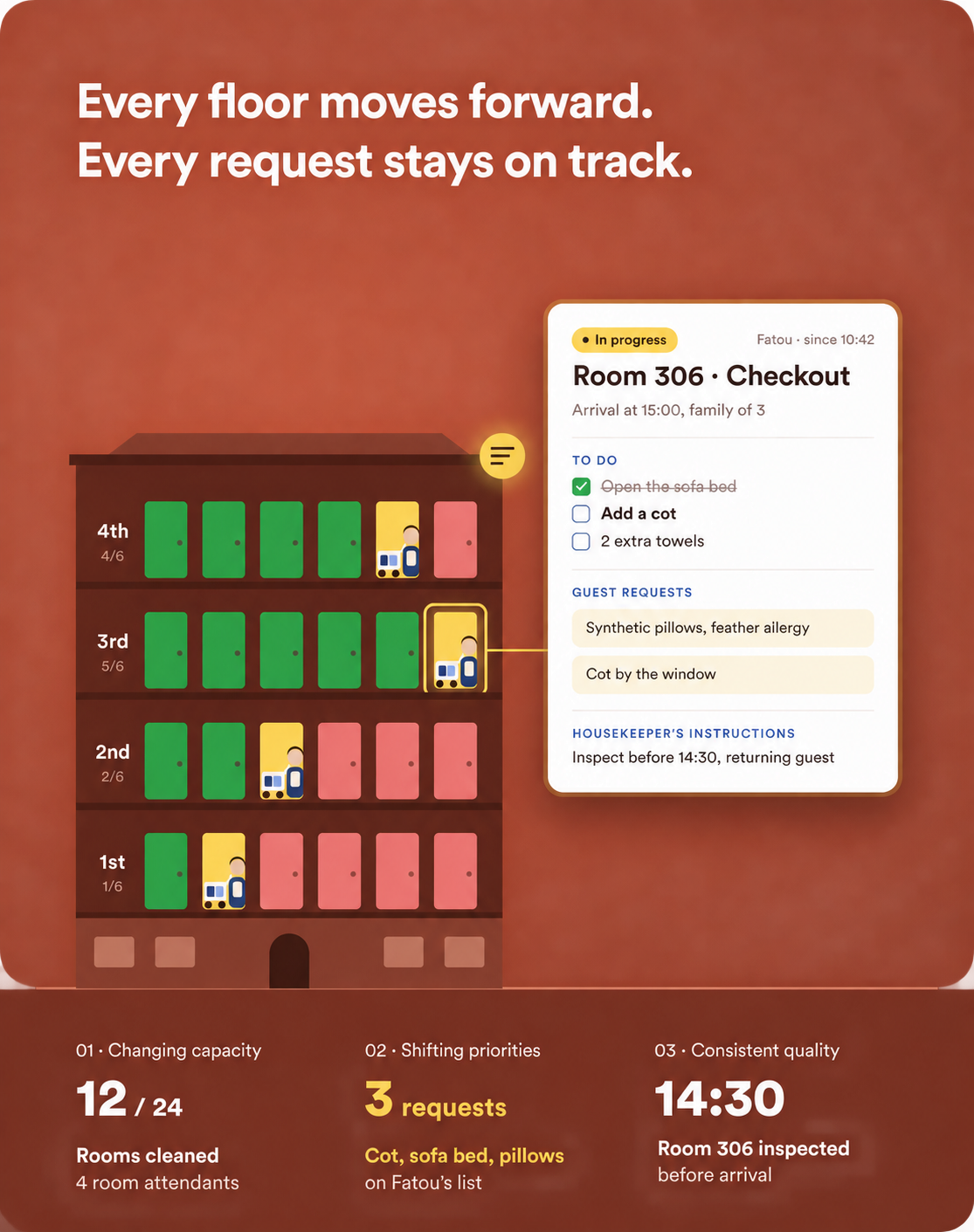
Changing capacity
An absence or late checkout can disrupt the original allocation.

The morning plan can quickly become outdated: a late departure, early arrival, absence, blocked room or special request changes what needs to happen next. The housekeeping manager must reassign rooms, inform the front desk and maintain quality checks. HOPR brings those changes into a dynamic plan. Attendants see their relevant task list, inspectors apply the standards and reception can check a reliable status without calling the department.
An absence or late checkout can disrupt the original allocation.
Early arrivals and special requests need to enter the plan with their context.
Inspection, correction and room-ready status must remain aligned until the room is released.
Generate departure cleans, stayovers, deep cleans, turndown and public-area tasks using your rules and available data.
Allocate work by zone, floor, skills and workload, while keeping manual reassignment available.
Anticipate cleaning requirements and working hours to prepare staffing.
Require critical checks, score rooms, attach photos and create corrective tasks.
Share useful arrival and departure times and operational statuses with housekeeping and the front desk.
The morning plan changes, while room quality still needs to be checked.
The daily plan includes service types and the available arrival and departure information.
An absence reduces available capacity, so rooms are reassigned by zone and workload.
An early arrival becomes a priority while other commitments remain visible.
An inspector rejects a checkpoint and creates a correction for the right person.
Reception sees the new status and can inform the guest without chasing the housekeeping manager.
Reduce the time spent rebuilding assignments.
Distribute work using explicit rules.
Give each team member a focused, prioritised task list.
Connect failed inspections directly to corrective work.
Build quality and productivity indicators from the work actually completed.
Define service types, time or workload points, zones, skills, assignment rules and inspection levels. Test a typical day and a high-pressure day before extending the process to every team.
Stay events and available times can feed the plan through compatible integrations. The synchronisation scope depends on your PMS.
Yes. Assignment rules organise the allocation, and the manager retains the ability to reassign work.
The inspection can create a correction, retain evidence and keep the room in a not-ready status until the next check.
Yes. These services have their own rules and checklists, alongside departures, stayovers and deep cleans.
Assignments can use time or points based on your property’s rules, helping compare allocated work with available capacity.
A plan before and after reassignment, a mobile checklist and the complete inspection-to-correction cycle with a shared front-desk status.