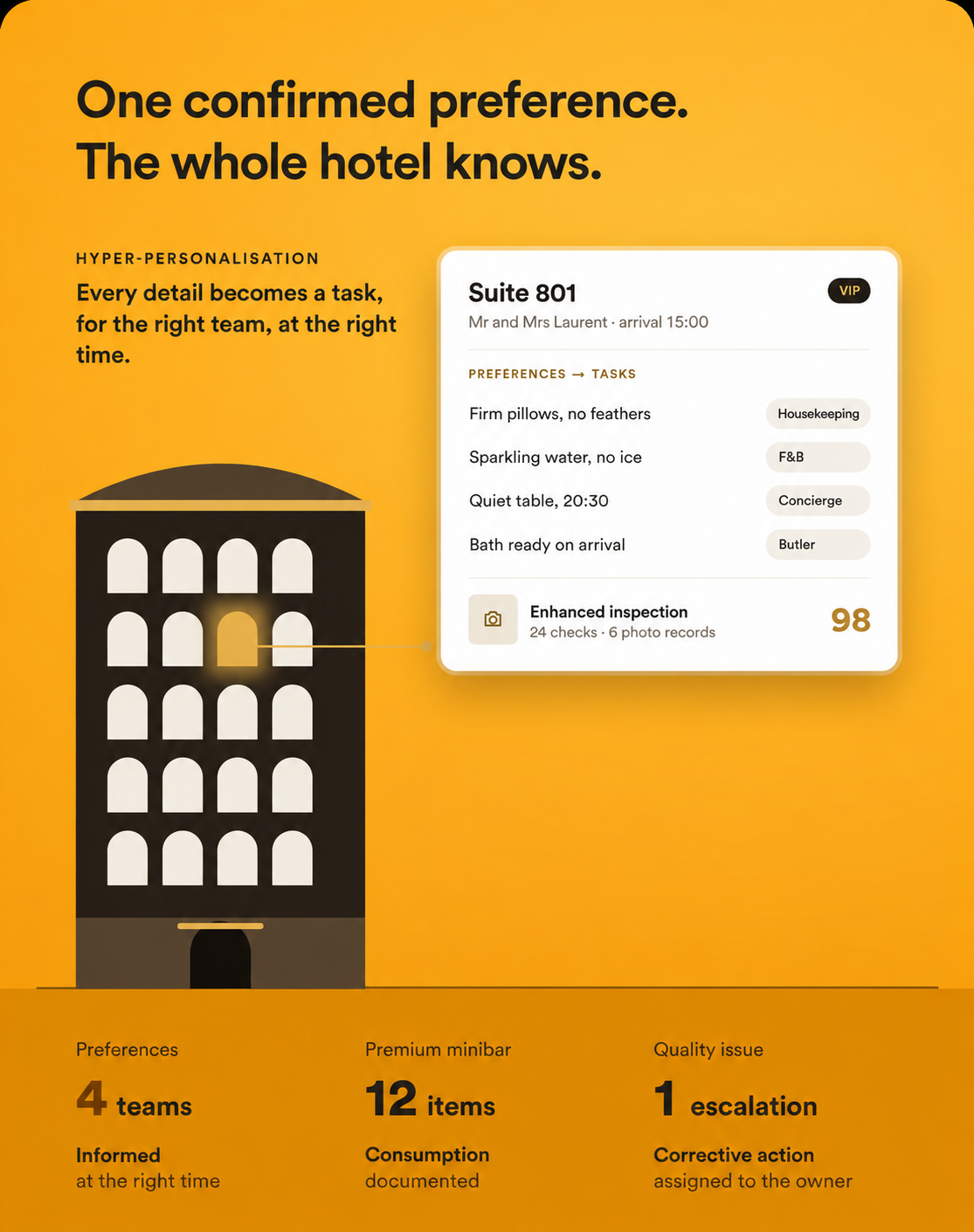
Requests cross department boundaries
The front desk, housekeeping, F&B and concierge need to act on the same preference without relying on repeated informal handovers.

A turndown time, pillow choice or dining preference may involve several teams. Information needs to become an action, then a confirmation, with access limited to the relevant roles. HOPR organises this precision through service rules, permissions and checks.
The front desk, housekeeping, F&B and concierge need to act on the same preference without relying on repeated informal handovers.
Critical room details need to be checked against consistent criteria and evidence requirements.
Minibars and premium items require precise records of consumption, discrepancies and any related charges.
Turn a confirmed preference into tasks for the relevant teams at the times defined by your service rules.
Combine detailed checklists, scoring and photo evidence for the critical points in your service standards.
Give the front desk, housekeeping, F&B, concierge or butler the information needed for their part of the service.
Structure item catalogues and document consumption. Posting charges to the PMS depends on the validated integration.
Link issues to appropriate corrective actions, owners and priorities. Automatic triggers follow the configured rules.
Follow a confirmed preference from team handover through to the check that the service was delivered.
Link the agreed preferences to the stay and define which roles may view them.
Before arrival, configured rules create the required tasks for housekeeping, F&B and concierge.
The inspection applies the checks and evidence requirements for the expected service level.
Schedule turndown for the agreed time, with the personalisation details the team needs.
Route an issue to a priority correction according to your rules. Managers can then review the sequence of work.
Keep the relevant context when a request moves between departments.
Base inspections on shared criteria and verifiable checks.
Organise personalisation without relying on one employee’s memory.
Document consumption and the information needed to approve charges.
Review recurring problems to adjust service rules and working practices.
Setup distinguishes the preferences needed for service, their retention period and the roles allowed to see them. Checklists and evidence requirements are defined with quality managers and operational teams. PMS exchanges, including charge posting, depend on the available integrations.
A configured rule can turn a confirmed preference into a task, check or notification for the relevant role.
Permissions and task scope let you limit each role to the information needed for its part of the service.
Different inspection templates and evidence requirements can be defined for a room category, stay or specific situation.
Detailed catalogues and evidence support consumption tracking. Posting a charge to the PMS is defined for integrations that support it.
The workflow can link an issue to a corrective action with a priority and owner. Automatic triggering depends on the rules configured during setup.